Digital art hobby tips: How to begin your creative journey
"Art is not about being perfect; it is about the joy of creation and the unique way you see the world."
This guide is for anyone looking to explore digital art fun, whether you want to relax or master professional techniques.
What exactly is digital art?
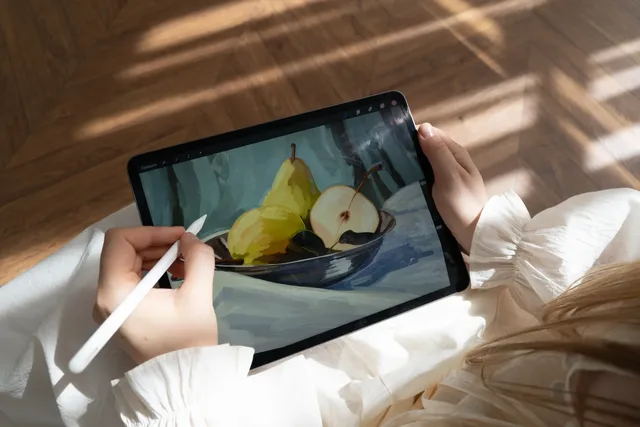
At midnight in the quiet studio, your fingers trace the cool, glowing screen while crafting vibrant digital strokes.
Digital art involves using computers, tablets, or smartphones to create visual works through software rather than physical pigments.
According to the Chilean Web Archive, the service was launched on August 19, 2015, with the objective to "store and preserve various national websites with the purpose of ensuring the availability of information and knowledge generated in digital format..."
It offers endless possibilities for experimentation because you can undo mistakes instantly and layer colors without wasting expensive supplies.
This hobby provides a unique sense of freedom because your workspace is often just a single device. You can explore various styles like pixel art, 3D modeling, or digital painting without the need for a dedicated studio.
The primary goal is to find a medium that allows your imagination to flow freely through a screen.
How to start your digital art journey? Digital art hobby tips
Sitting at the wooden desk during the afternoon, you grip the stylus tightly to master your first digital sketch.
You sit at a desk, clicking through a menu to find the perfect brush texture for a forest scene. Starting this hobby requires choosing a platform that matches your current comfort level with technology.
You do not need a high-end setup to begin; many people start with basic smartphone apps or inexpensive drawing tablets connected to a laptop.
To begin, follow these steps: 1. Select a device you already own, such as a tablet or a computer. 2. Download a beginner-friendly application to familiarize yourself with layers and brushes. 3. Practice simple shapes and lines to build muscle memory with your stylus or finger.
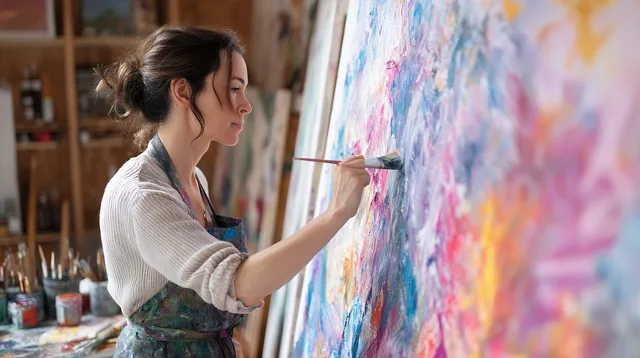
I found that starting with simple line work helped me feel less overwhelmed by the complex menus. Once you can control a single stroke, you are ready to move toward more complex compositions.
How can I set up for digital art on a budget?
You browse an online store, comparing the weight of a slim tablet against the precision of a dedicated graphics tablet. Managing an affordable digital art setup is a great way to enter the hobby without a massive financial commitment.
You can balance your budget by prioritizing the tool that feels most natural to your hand.
| Tool Category | Low-Cost Option | High-End Option |
|---|---|---|
| Hardware | Basic Drawing Tablet | Professional Display Tablet |
| Software | Free Mobile Apps | Subscription-based Pro Software |
Using a budget-friendly setup allows you to focus on the fundamentals of composition and color. You can always upgrade your hardware once you have established a consistent practice routine.
Beginner digital art fun
The room is quiet as you spend an hour doodling whimsical characters just to see how the colors blend. To maximize beginner digital art fun, you must separate the act of playing from the act of studying. Do not feel pressured to produce a masterpiece every time you turn on your device.
To keep the hobby enjoyable, try these methods: 1. Set small, low-pressure goals like drawing one object a day. 2. Experiment with "messy" sketching where mistakes are encouraged. 3. Share your progress in casual online groups to find community support.

Focusing on the sensation of the brush moving across the screen helps maintain interest. When you treat digital art as a playground rather than a classroom, you avoid the burnout that often comes from perfectionism.
Improve digital art skills
You zoom in on a tiny detail, meticulously adjusting the lighting on a character's face to create depth. If you want to improve digital art skills, you must transition from casual play to structured practice. This involves understanding how light, shadow, and anatomy work in a digital environment.
To advance your ability, follow this progression: 1. Master the use of layers and clipping masks to organize your workflow. 2. Study color theory to understand how different hues interact on a digital screen. 3. Replicate real-world references to learn how light hits physical objects.
I spent many hours practicing shading on simple spheres to understand how digital gradients function. This disciplined approach builds the technical foundation necessary for more complex digital art projects.
Common mistakes to avoid
You stare at the screen, realizing you forgot to create a new layer before starting a complex shadow. Avoiding common pitfalls is essential for a smooth learning experience.
Many beginners struggle with "over-rendering," where they spend too much time on tiny details while the overall composition remains weak.
Another frequent error is relying too heavily on the "undo" button to fix fundamental errors in anatomy or perspective. While the tool is helpful, it is better to learn why a stroke failed so you can prevent it next time.
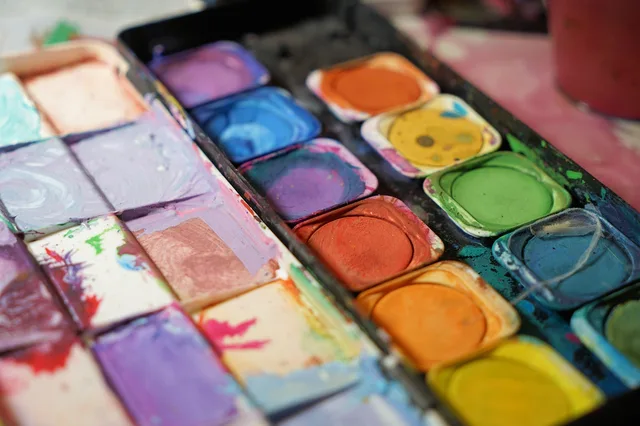
Digital art is a skill that grows through intentional practice and awareness of these technical habits.
- Digital art is a creative hobby where you use electronic tools to express visual ideas, ranging from simple sketches to complex illustrations.
- You can enjoy this hobby by focusing on the process rather than the result, but keep in mind that the initial learning curve for software can be steep.
- A stylus glides across a smooth tablet surface, leaving a trail of vibrant blue ink that never smudges.
The subject here is Digital art hobby tips.
The same subject is also called Low cost art hobbies.
The same subject is also called Digital art focus guide.
Manage your art projects
Related
- Drone landscape fun: Why drone art making fun helps
- Embroidery small goals guide Fun embroidery small goals tips
When is the process more important than being perfect?
- The process is more important than being perfect when the focus remains on the joy of creation, which is the core tenet of art. 2. You should prioritize the creative journey over the final outcome when you are exploring a new medium or learning software. 3. This mindset helps prevent the discouragement that often accompanies the pursuit of being perfect in a new skill set.






Comments 0